

TL;DR
1
Open Action Plan
Click into the Action Plan you wish to export.
2
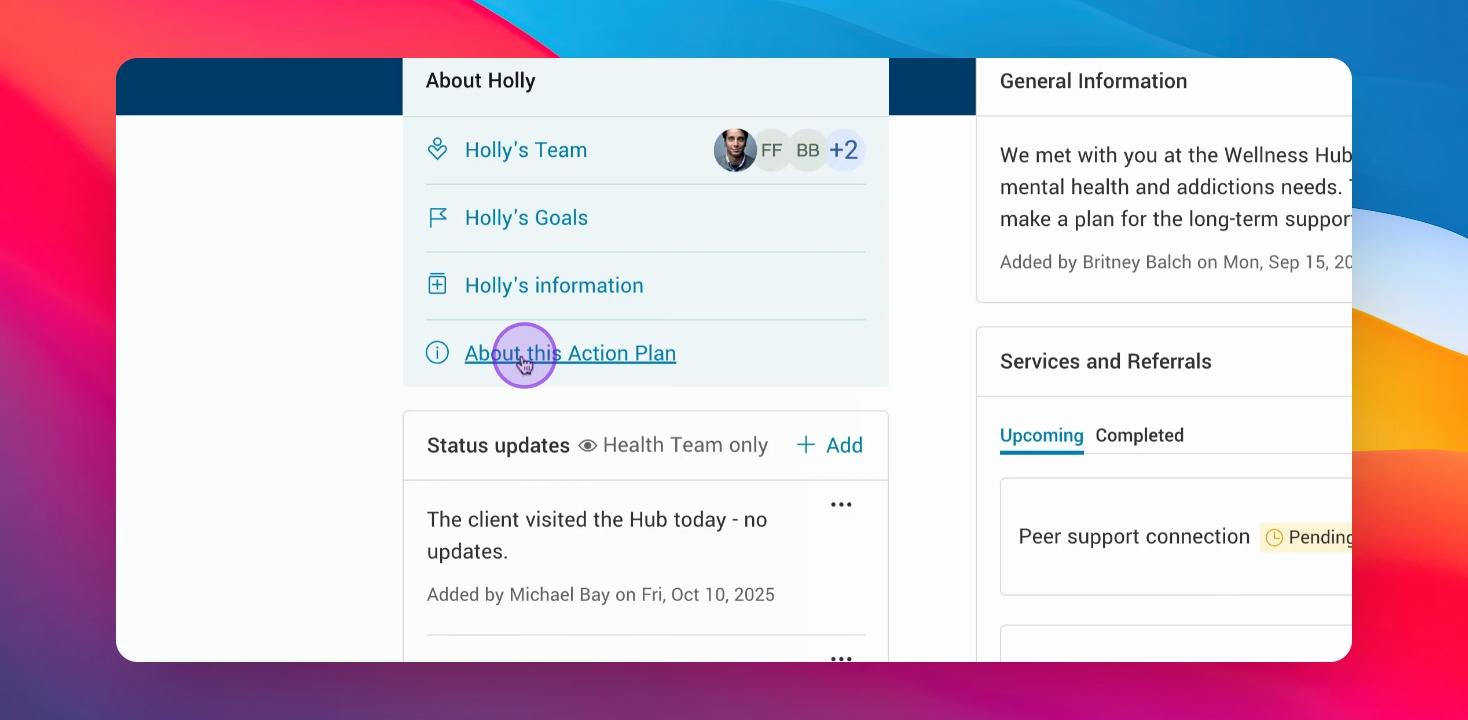
Click into 'About this Action Plan'
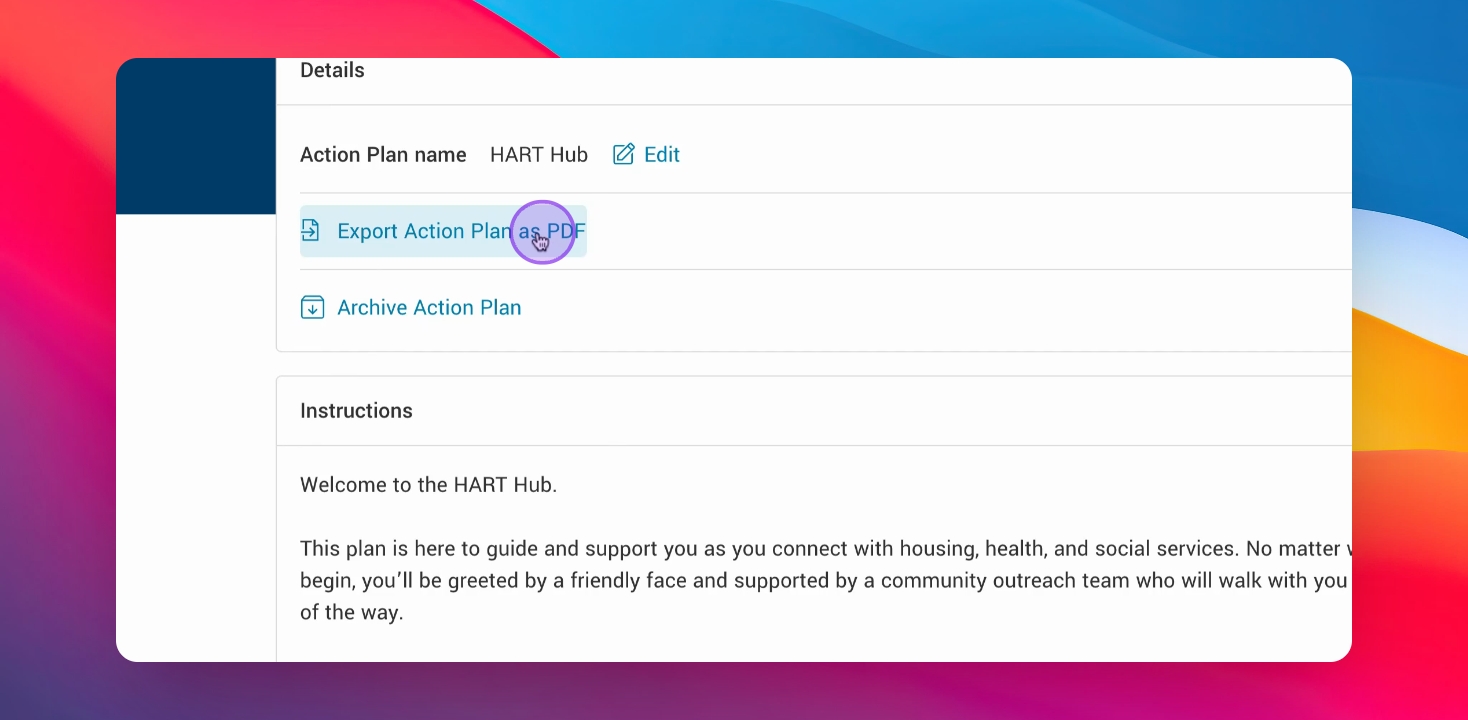
Select Export Action Plan as PDF.
3
Download PDF
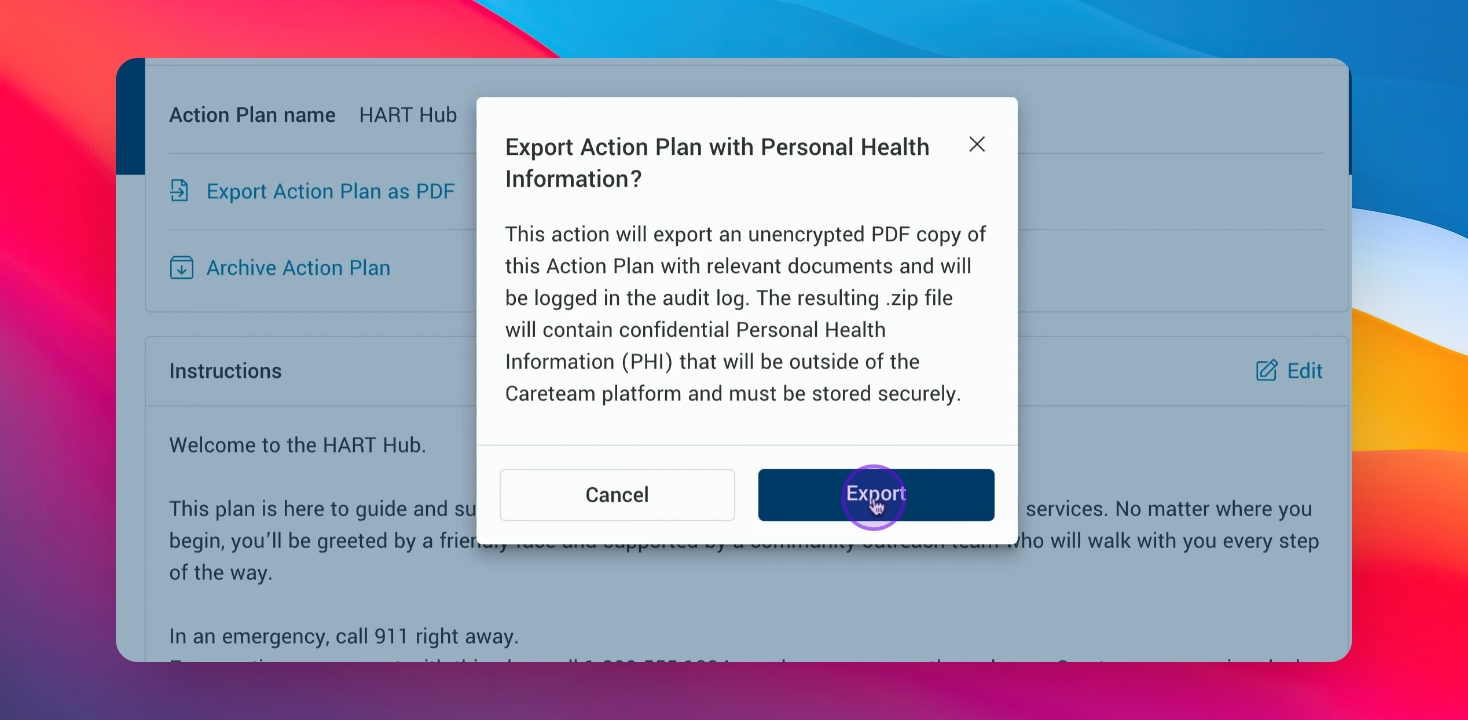
Click Export to download the PDF file.
4
Find the PDF
Locate the downloaded Action Plan PDF in your files.
Let's Do It Together!
Step 1: Access Action Plan
Click into the Action Plan you want to export.
Click into 'About this Action Plan'
Step 2: Export Action Plan as PDF
Click on Export Action Plan as PDF.
You will see a description of the export process.
Step 3: Export the Action Plan
Click Export to initiate the download.
The Action Plan PDF is now downloading to your device.
Step 4: Locate the downloaded file
Find the downloaded Action Plan PDF in your files.
The Action Plan is now accessible in your files.
Here is a short video of what the Action Plan export looks like: