TL;DR
Click into the person's panel to view goals as always
If you have the Goals block on a pathway dashboard click the + Add button to create a new block.
Let's Do It Together!
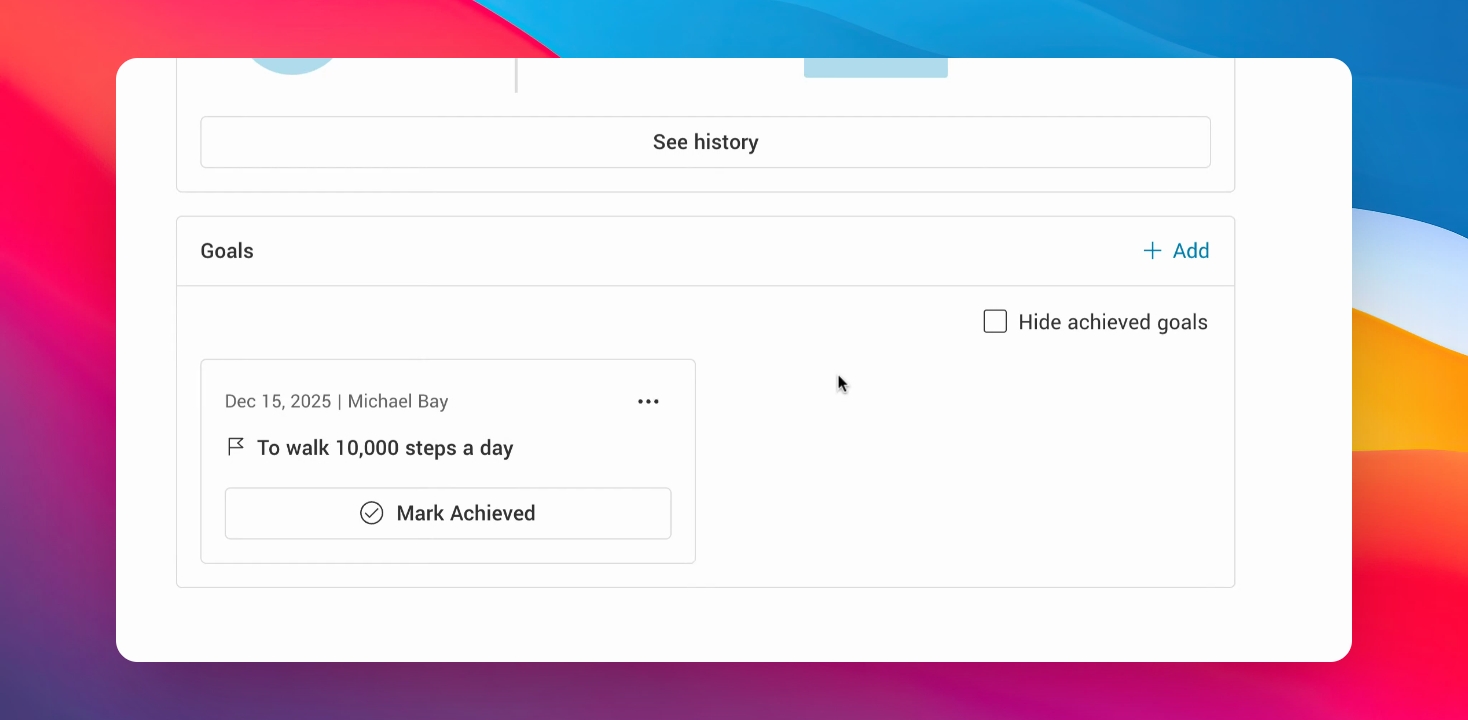
The Goals section displays goals added by the Health Team, the person receiving care, or their Support Team, helping everyone stay aligned on what matters most. You and others can add, edit, and mark goals as completed to support shared understanding and progress over time.
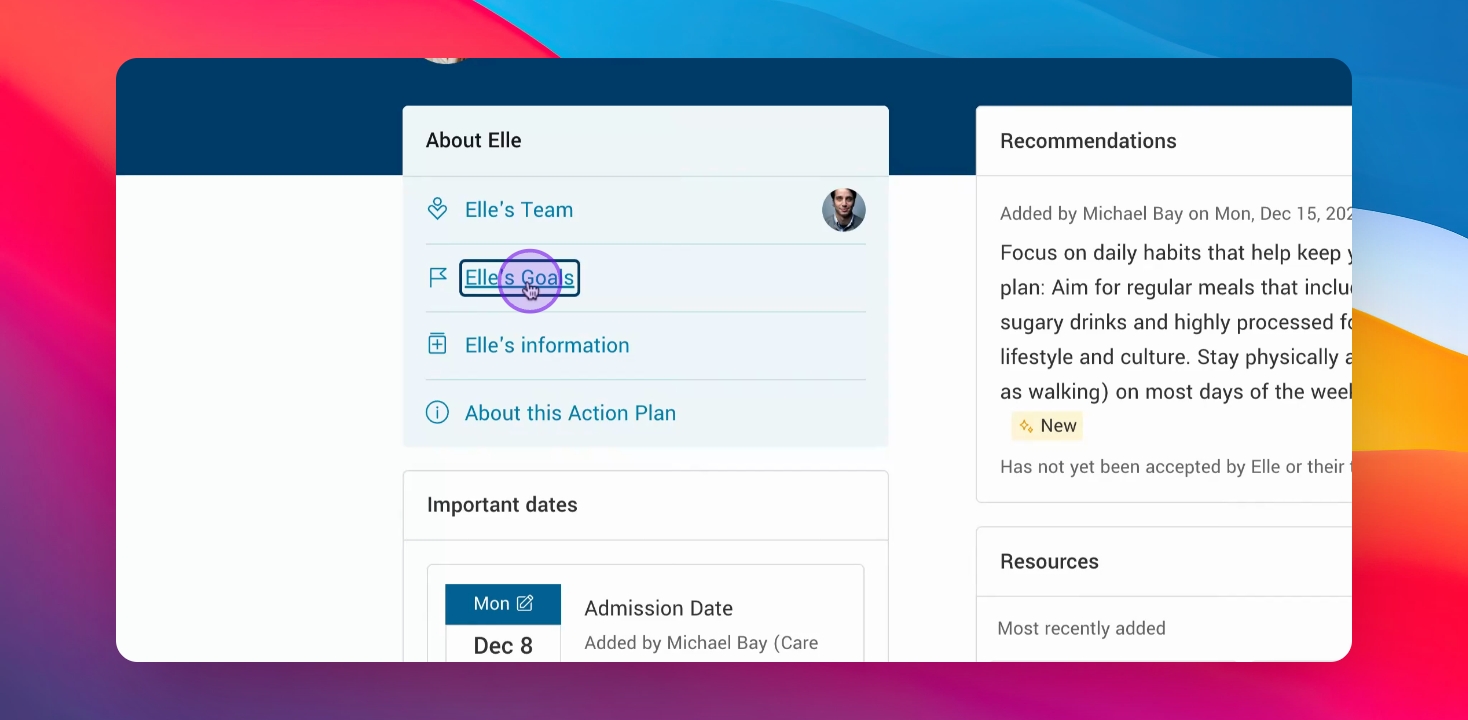
Step 1: Access the persons Goals via the panel
Click into the person's panel to access the goals section.
Step 2: Add goals via the dashboard
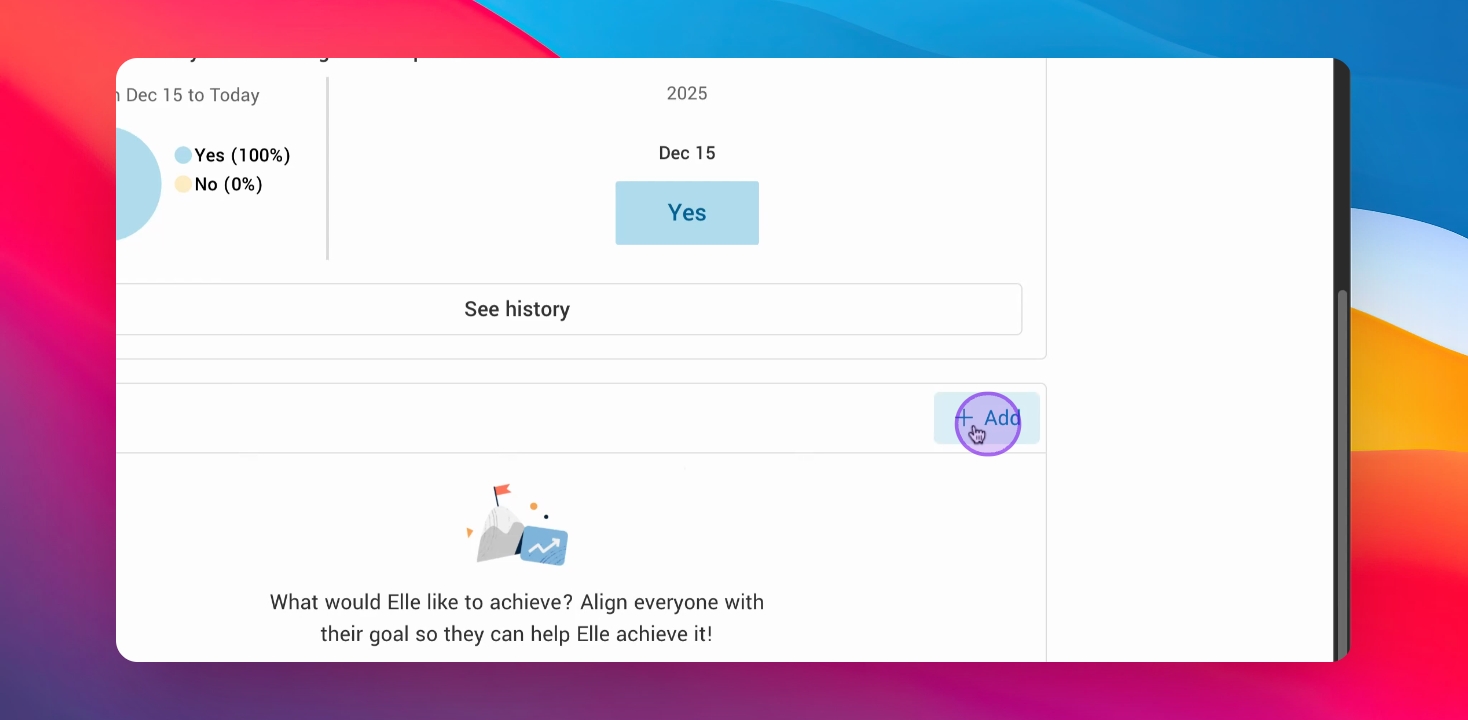
If you have the Goals block on a pathway dashboard click the + Add button to create a new block.
Step 3: Enter goal details
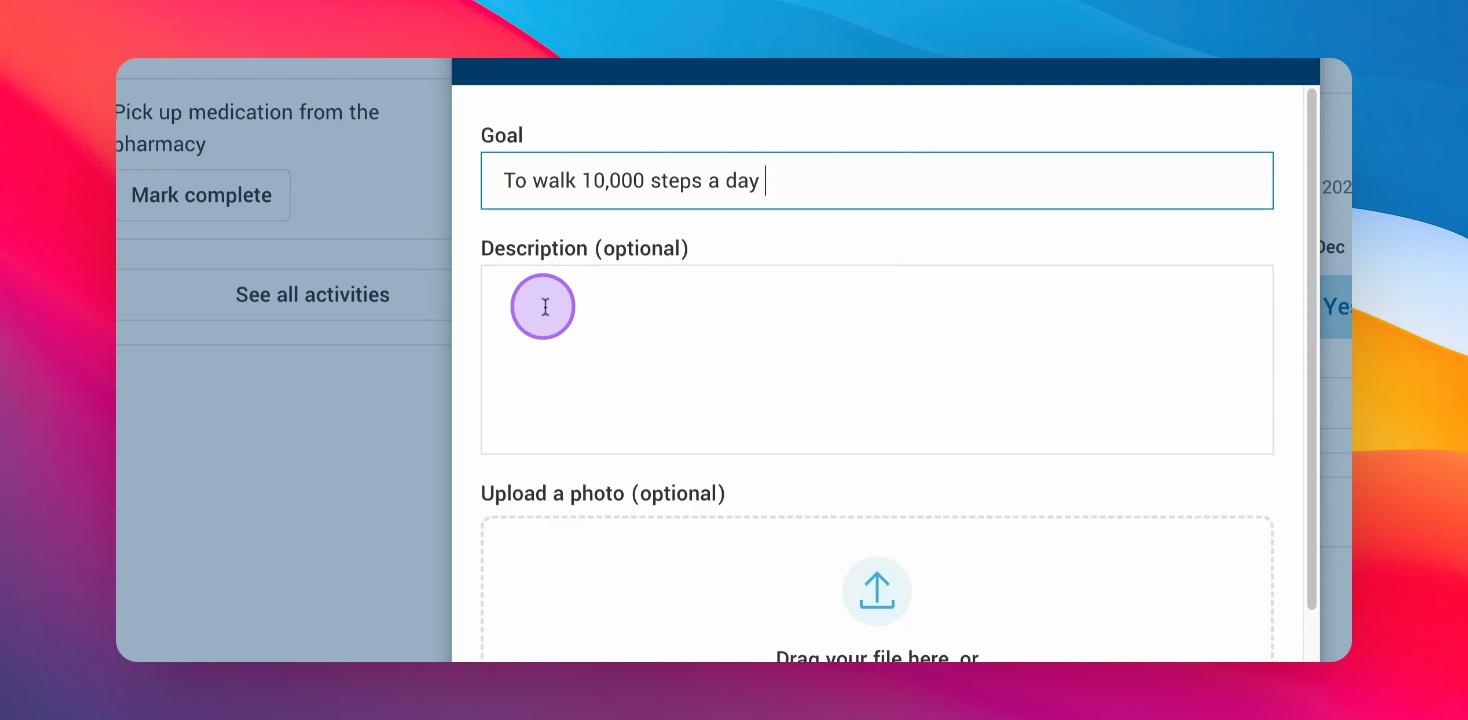
Type in the goal you wish to add and then hit save.
Step 4: Track goals
Health care providers, the patient and their primary supports can add and update goals. With the Goals block on the dashboard it serves as visual signal to keep everyone up to date and informed on progress.