

📺 Watch the video
Want a quick walkthrough?
👉 Click here to watch the video
🩺 Why this matters
The Goal Planning block helps teams deliver truly person-centred, goal-oriented care. It invites individuals to share what matters most to them—and ensures the care plan reflects their goals, not just clinical targets.
Used well, goal planning:
Promotes ownership and inclusion
Boosts motivation and engagement
Reduces bias and builds equity into care planning
It turns care from something done to a person into something done with them.
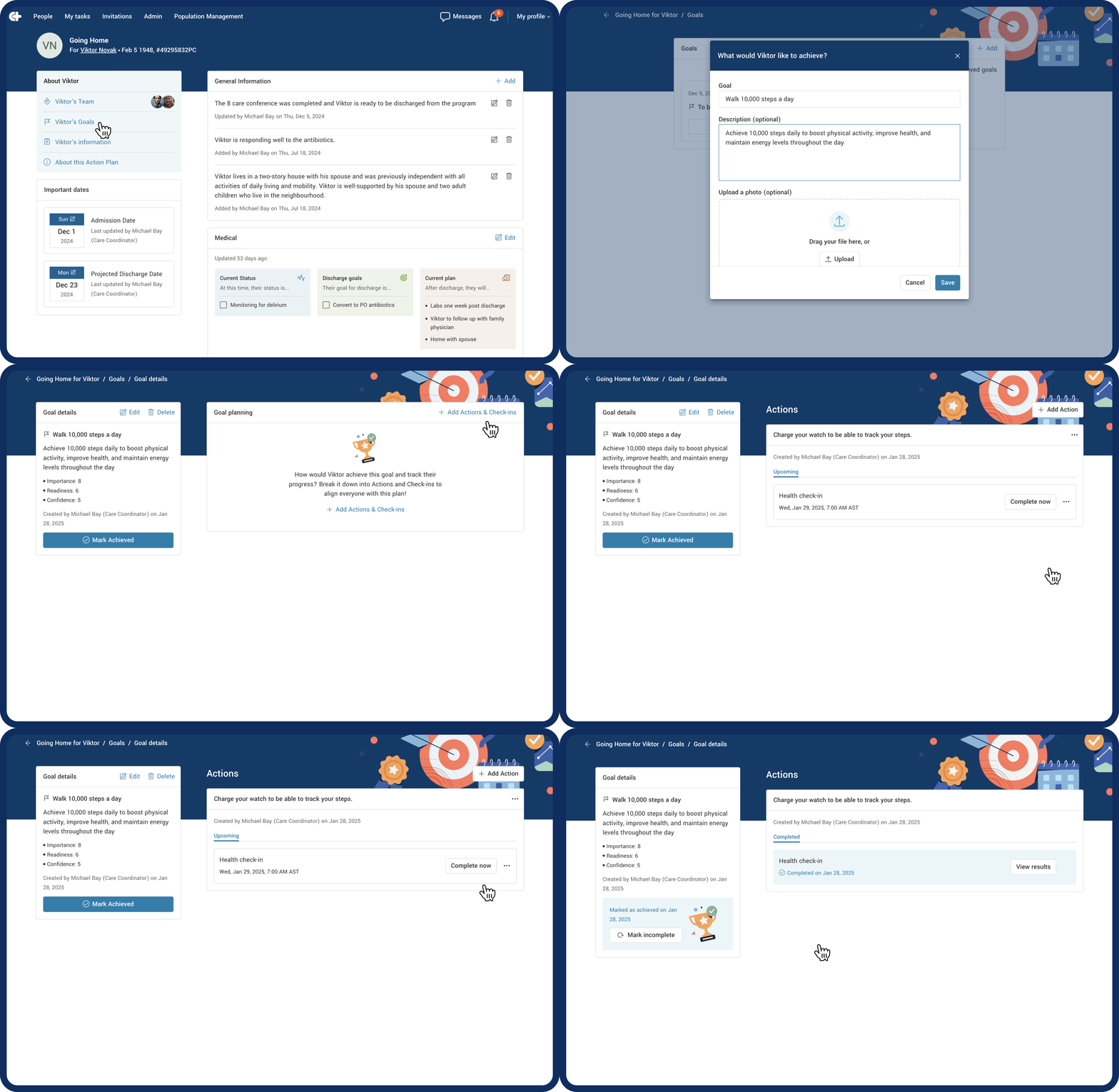
🔍 Where to find it
Go to the Person Panel
Click on “Person’s Goals”
🚀 What you can do in this section
🎯 Create and personalize goals
Click + Add Goal
Write the goal, and (optional) add a description or image
Toggle Enable Goal Planning to turn on tracking
Rate:
Importance
Readiness
Confidence
Click Save
📌 Add Actions to support the goal
Click + Add Action
Enter what needs to happen to support the goal
(Optional) Add a description for context
📈 Add Check-ins to monitor progress
Click + Add Check-in
Choose a check-in question from the dropdown
Set the frequency (one-time, recurring, or unscheduled)
💡 Need a new check-in question? Create it in the Check-in Library under the Admin panel, or ask your manager.
✅ Track and complete
Actions and Check-ins will show up in the Things to Do block
When the goal is reached, click “Mark Achieved”
💡 Tips and things to know
Pictures make goals feel more real and personal
Ongoing check-ins keep the Person engaged and accountable
This process strengthens trust and shared decision-making
If the Goal Planning feature isn’t enabled, email support@getcareteam.com