

To invite someone to participate in their Action Plan, start by accessing the persons panel and navigating to the Information section. Let's look at the steps:
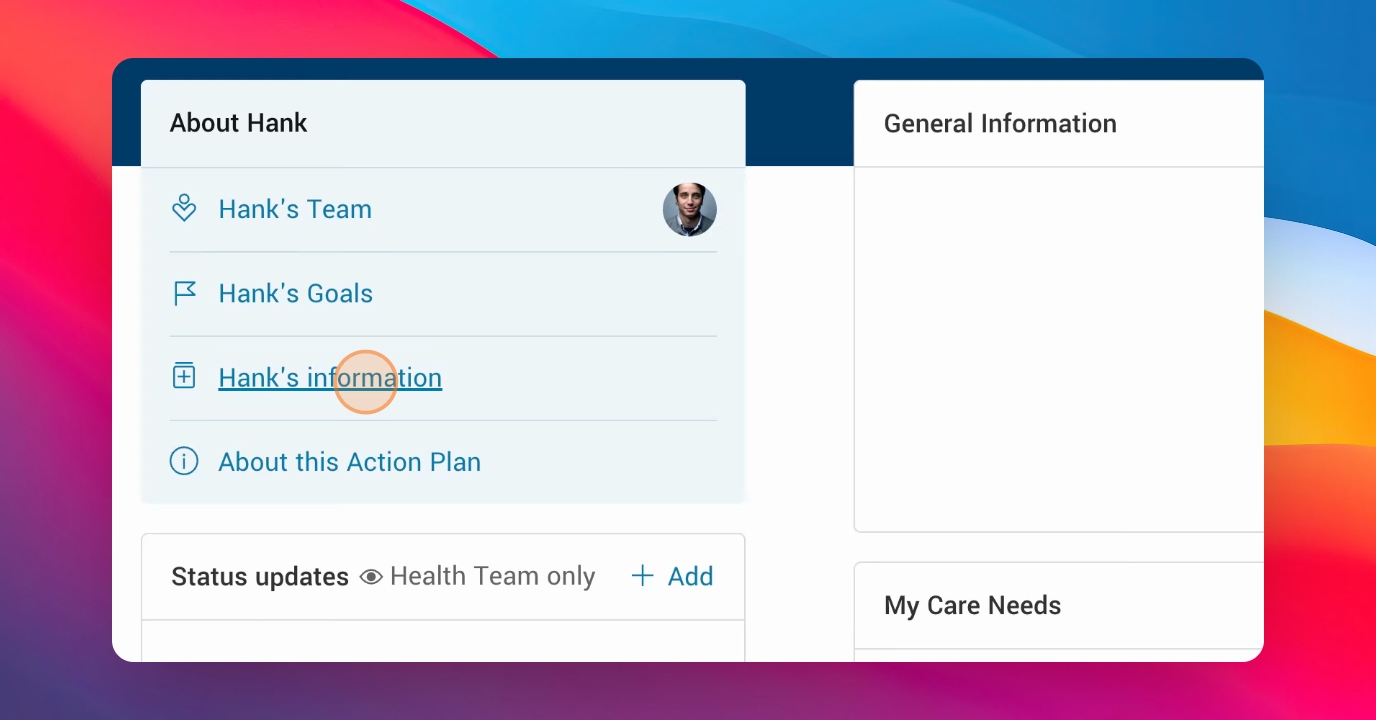
Step 1: Open Information Section
Go to the person's panel and click into the Information section.
Step 2: Review Invitation Status
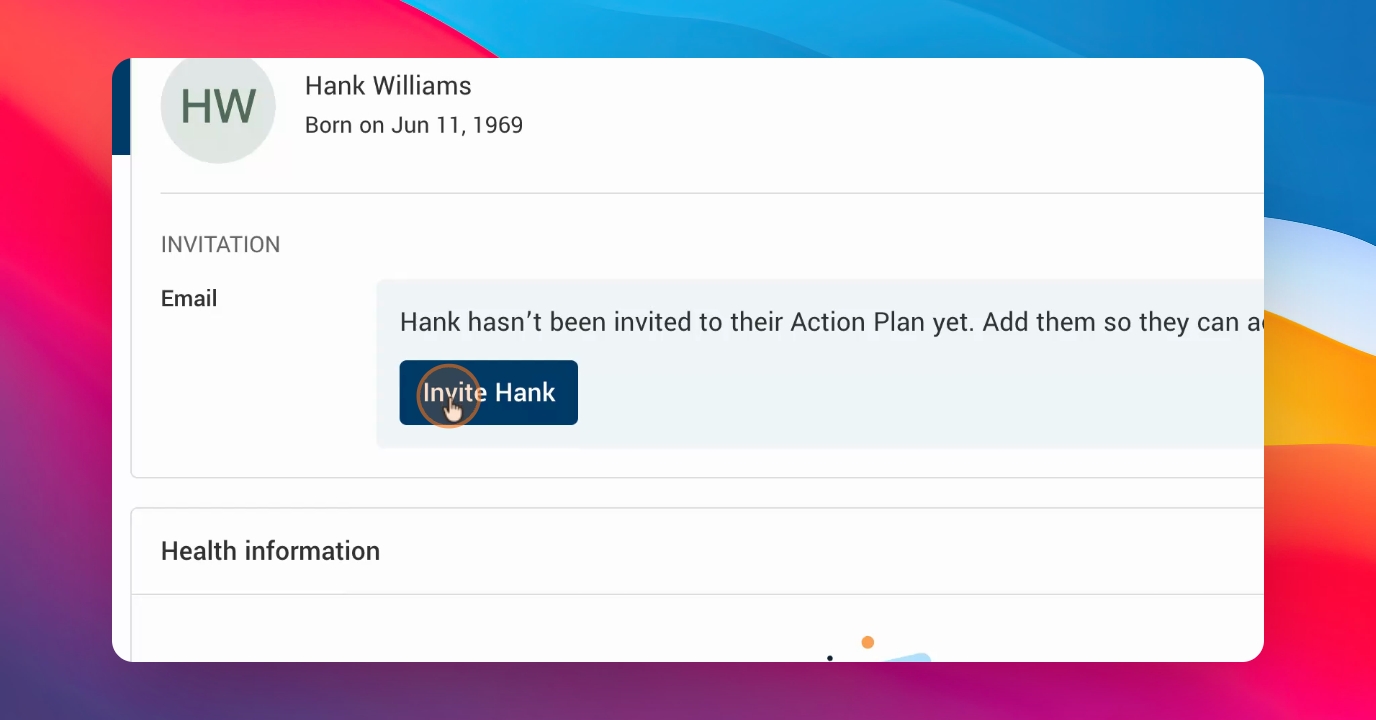
Check the Invitation area to see if the person has already been invited to their action plan.
Step 3: Invite via Email
Click Invite, enter the person's email address, and send the invitation so they can access their action plan.
Step 4: Monitor Invitation Status
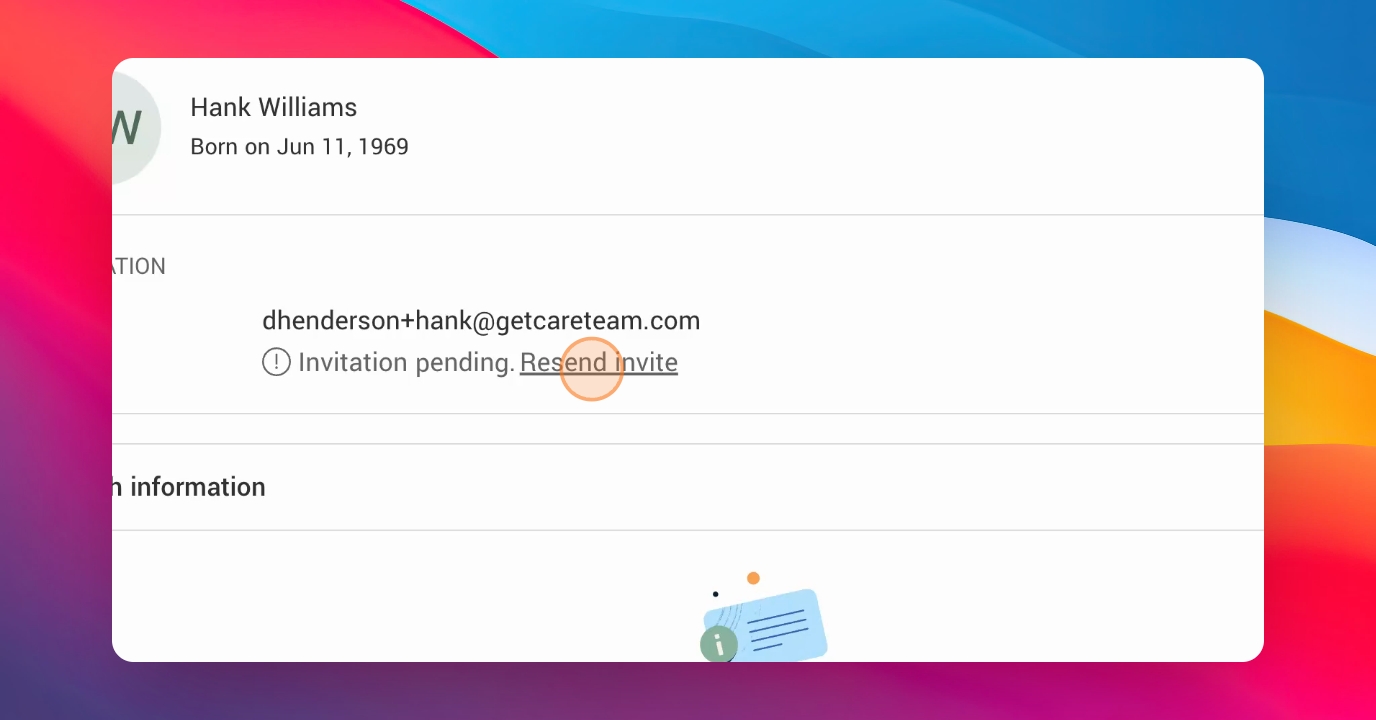
After sending, the invitation will show as pending until the person accepts it.
Step 5: Resend or Edit Invitation
If the invitation is not accepted after some time, click Resend Invitation to send a reminder. You can also edit or remove the email if needed.
That's how you invite and manage participation for an action plan.