

Let's do it together!
Step 1: Access My Tasks
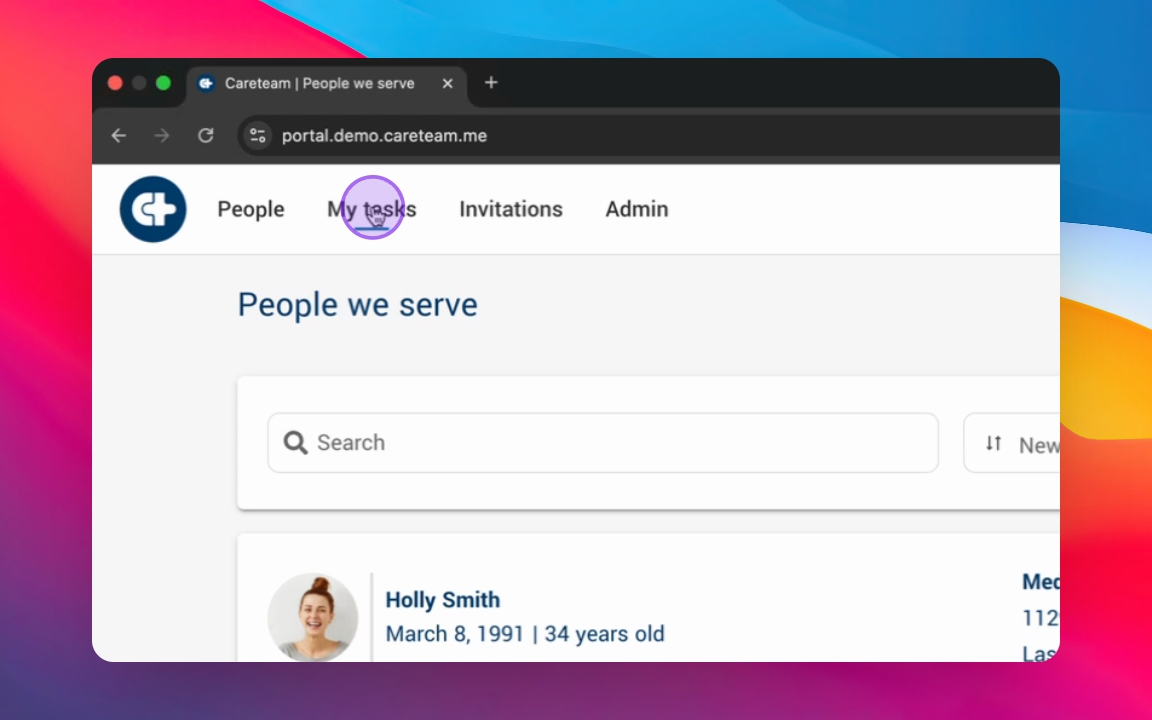
Click into My Tasks from the top panel to view your Tasks and Appointments.
Step 2: Review Tasks
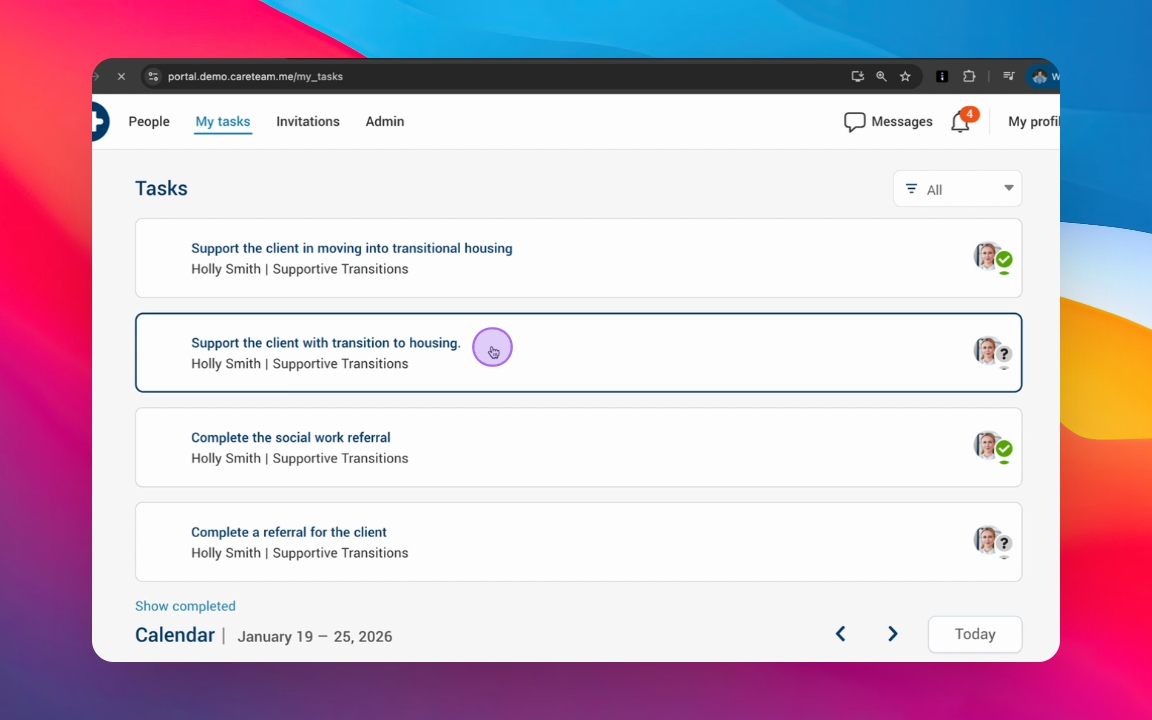
Look through the list of activities that require your attention, including tasks and appointments assigned to you.
Step 3: Accept or Decline
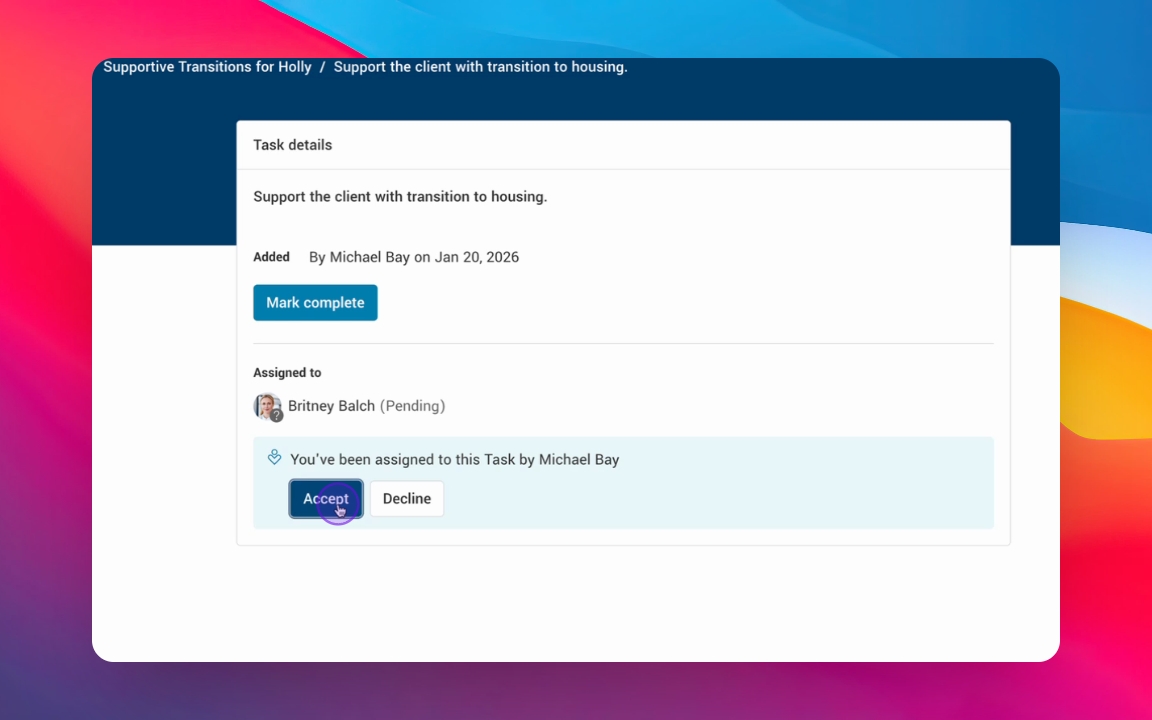
Choose to accept or decline tasks as needed.
Step 4: View Task Details
Click on a task to access the detailed action plan related to that task.
Step 5: Notification on Decline
If you decline a task, the assignee will receive a notification, and it will be removed from your list.
Step 6: Finalize Task
Choose to accept the task and return to My Tasks to see your updated list.
Step 7: Organize Tasks
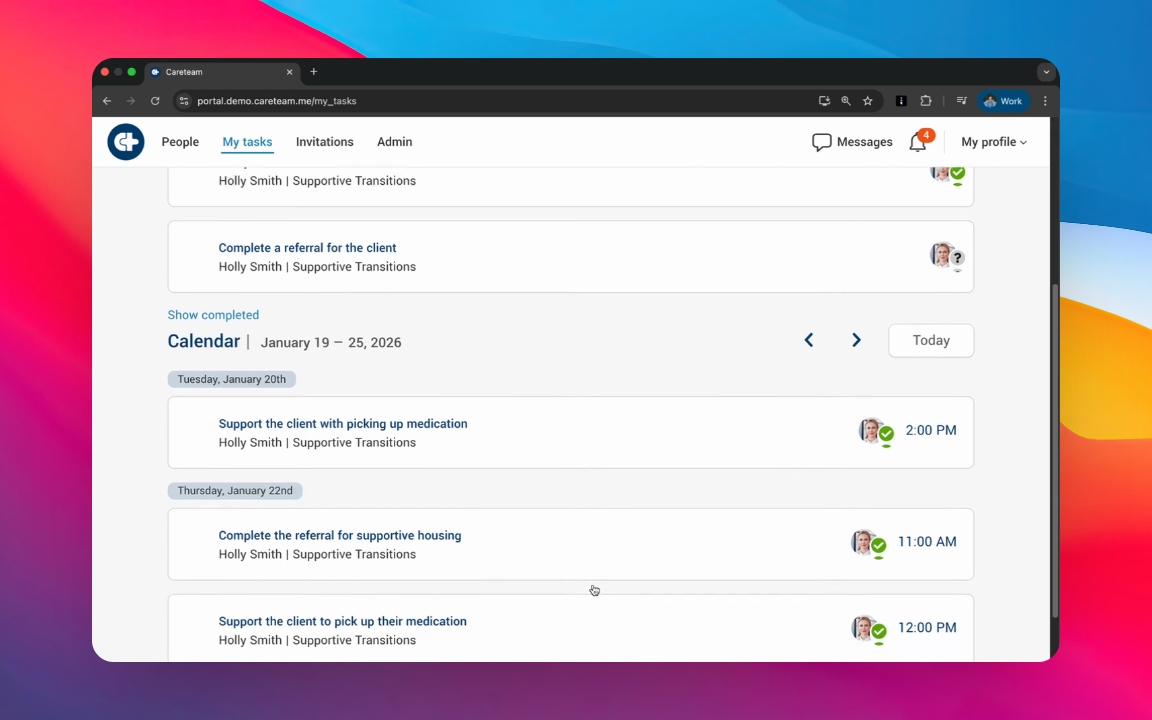
Review your tasks which are grouped into unscheduled and scheduled tasks.
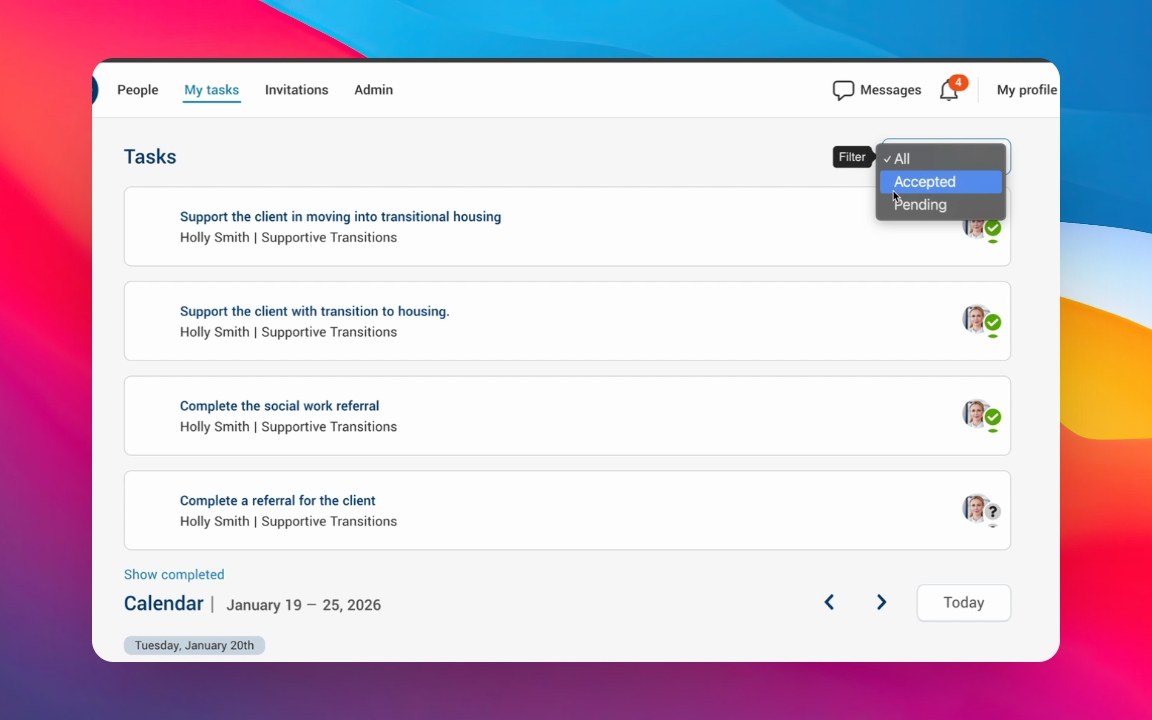
Step 8: Filter Tasks
Use filters to view accepted, pending, or all tasks as per your needs.
Step 9: Check Due Dates
Scroll to view scheduled activities and their proposed due dates for better time management.
Step 10: Stay Organized
Utilize My Tasks to coordinate care and manage your daily responsibilities efficiently.